Doodles Meet Precision: Seamless Vector Patterns for Professional Design
When designers talk about versatility, scalability, and visual rhythm, seamlessly repeating vector patterns often sit at the heart of modern creative workflows. And when those patterns are built from playful, expressive Doodles—hand-drawn in spirit but engineered for precision—they unlock a rare blend of personality and professionalism. These aren’t just decorative flourishes. They’re production-ready assets that perform across print, packaging, web, and even large-format applications—all without pixelation, distortion, or tiling glitches.
What Makes a Pattern “Seamless”—and Why It Matters
A seamless pattern repeats infinitely in all directions with no visible seams, gaps, or misalignments. That means when you tile it horizontally or vertically, edges match perfectly—like puzzle pieces designed to vanish where they connect. This isn’t magic; it’s meticulous vector construction. Each Doodle element is carefully positioned, anchored, and mirrored—or offset—to ensure continuity at every boundary. The result? A fluid, organic texture that feels handmade yet holds up under scrutiny.
In practice, seamlessness translates directly to efficiency. No more manual patching in Photoshop. No frantic resizing before sending files to a printer. No last-minute panic when a client requests a 48" x 96" wall mural. With true vector-based repetition, scaling is limitless—and fidelity is guaranteed.
The Power of 3600 × 3600 Pixels at 300 DPI
Each pattern in this collection is delivered at 12 × 12 inches, 3600 × 3600 pixels, 300 dpi. That’s not arbitrary—it’s calibrated for real-world output. At 300 dpi, you get crisp, publication-grade resolution ideal for high-end brochures, luxury packaging, fabric printing, or fine art prints. And because the base file is vector (EPS 10), the 3600 × 3600 JPEG version serves as a reliable raster preview *and* a ready-to-place asset for CMS platforms, social ads, or email templates where vector support is limited.
Think about it: You’re designing stationery for a boutique brand. You drop one of these Doodles-based patterns into Illustrator, scale it to cover an entire letterhead background—and it stays razor-sharp. Then you export a JPEG version for their Shopify banner. Same pattern. Same clarity. Zero rework.
Why EPS 10? Compatibility Meets Creative Control
The EPS 10 file format strikes a critical balance: broad software compatibility and full editability. Unlike newer formats like SVG—which can struggle with complex gradients or clipping masks—EPS 10 remains universally supported across Adobe Creative Cloud (Illustrator, InDesign, Photoshop), CorelDRAW, Affinity Designer, and even legacy prepress systems. More importantly, EPS 10 preserves layers, paths, and transparency—so you can easily recolor individual Doodles, isolate motifs, or adjust spacing without breaking the repeat logic.
That flexibility matters most when clients request variations. Need the same pattern in navy instead of charcoal? Swap colors in seconds—not hours. Want to extract just the leaf motif to use as a standalone icon? It’s already there, fully vectorized and grouped logically. No tracing. No reverse-engineering.
Inside the Zip: Three EPS + Three JPEG Files, Purpose-Built
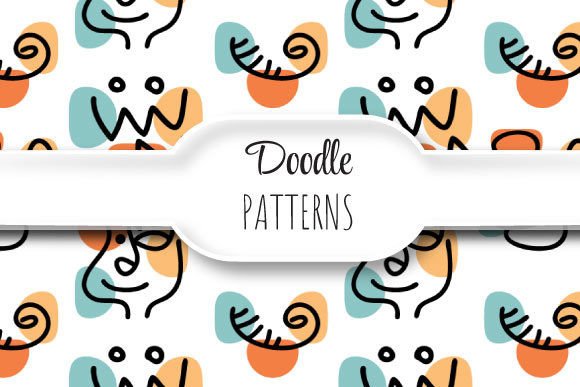
The package contains three distinct EPS files and three matching JPEGs—not duplicates, but intentional variations. One might emphasize bold, graphic Doodles with strong negative space—ideal for apparel prints or minimalist branding. Another leans into delicate linework and overlapping strokes, perfect for wedding invites or artisanal product labels. The third could introduce subtle texture overlays or tonal shifts, adding depth without sacrificing clarity.
Each JPEG isn’t just a flattened preview. It’s sized and sharpened for screen use: optimized metadata, sRGB color profile, and clean anti-aliasing. Use them in mood boards, client presentations, or Figma prototypes—no need to open Illustrator first. Meanwhile, the EPS files remain your source of truth: editable, scalable, production-safe.
Real Projects, Real Benefits
Consider a small-batch ceramics studio launching new packaging. They choose a Doodles-based pattern with looping vines and hand-sketched berries. Because the pattern is seamless and vector-based, they apply it to both the box wrap *and* the tissue paper liner—same file, different scales. When they later expand into textile pouches, the same EPS drops cleanly into their fabric printer’s RIP software. No remaking. No quality loss.
Or imagine a UX designer building a dashboard for a creative agency. They use one of the JPEG versions as a subtle background texture behind data cards—soft enough to avoid distraction, distinctive enough to reinforce brand voice. Later, the marketing team pulls the EPS to build a custom email header with animated hover effects (via CSS transforms on the vector paths). One asset. Multiple contexts.
How Doodles Elevate Functionality Without Sacrificing Charm
“Doodles” often conjure casual, off-the-cuff sketches—but in this context, they’re deliberate design decisions. Each line has weight, intention, and rhythm. Some Doodles mimic ink bleed or pencil grain; others lean into clean, confident strokes. What unites them is authenticity: they feel human-made, not algorithmically generated. That warmth builds connection—especially in industries where trust and craft matter: education, wellness, hospitality, indie publishing.
Yet none of that charm comes at the cost of utility. These aren’t scanned sketches converted poorly to vectors. They’re built natively in Illustrator using the Pen Tool, Width Profiles, and Global Colors—ensuring consistency, alignment, and performance. Even the “imperfect” wobbles are parametrically controlled, so they repeat predictably.
Practical Tips Before You Drop Them Into Your Workflow
- Test tile behavior early: In Illustrator, use Object > Pattern > Make to preview how your chosen Doodles pattern behaves at different scales—even zoomed out to 4%.
- Check color modes: All EPS files are CMYK-ready for print, but if you’re using them digitally, switch to RGB in your document settings to avoid unintended shifts.
- Respect layer naming: Layers in each EPS are labeled intuitively (e.g., “Base Motif,” “Overlay Texture,” “Repeat Boundary”)—use them to toggle visibility or isolate elements during customization.
- Don’t over-scale JPEGs: While the 3600 × 3600 JPEG holds up well, avoid enlarging beyond 200% on screen—stick to the EPS for any major rescaling.
Who Benefits Most From This Kind of Pattern Library?
Freelance designers juggling five clients a week. In-house brand teams managing evolving style guides. Print studios handling variable-data jobs. Even educators creating engaging classroom materials. Anyone who values speed without compromise—who needs to move fast but won’t sacrifice polish—will find immediate value here.
These Doodles-based patterns also answer a quiet but growing demand: human-centered digital assets. As AI-generated visuals flood feeds and templates, tactile, intentionally imperfect, yet technically flawless patterns stand out—not as nostalgia, but as considered contrast. They signal care. Craft. Continuity.
A Note on Licensing & Usage
All files are licensed for both personal and commercial use—no attribution required. You may embed them in client deliverables, SaaS dashboards, physical products, or NFT collections (provided the underlying artwork isn’t resold as standalone assets). The EPS format ensures your edits stay proprietary; the JPEGs give you frictionless deployment where needed.
There’s no subscription. No watermarks. No usage caps. Just three thoughtfully constructed, seamlessly repeating Doodles patterns—ready to become part of your visual language, not just another download.