Kaleidoscope Pattern Generator
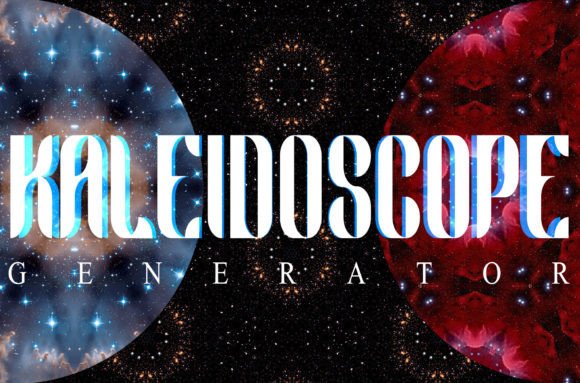
If you’ve ever needed to transform a simple photograph into a symmetrical, repeating, visually rich pattern—without spending hours in manual layer duplication, rotation, and alignment—the Kaleidoscope Pattern Generator delivers a practical, time-saving solution. It’s not a standalone application or web tool, but a well-structured Photoshop (.PSD) file built around Smart Objects and pre-configured layer groups. Its purpose is precise: to let designers, educators, marketers, and creative professionals generate seamless kaleidoscopic textures from any image they supply—whether it’s a close-up of handmade paper, a portrait of a pet, a landscape snippet, or even a scanned botanical sketch.
How It Works—Without Coding or Plugins
The Kaleidoscope Pattern Generator operates entirely within Adobe Photoshop (CS6 or newer, including CC 2024). There are no scripts to install, no external dependencies, and no learning curve tied to unfamiliar interfaces. Inside the PSD, four distinct kaleidoscope styles are pre-built as layered compositions—each with its own symmetry logic (radial, mirrored quadrants, hexagonal tiling, and rotational fractal-like repetition). Each style uses Smart Objects as input slots: drag your image into the designated Smart Object layer, double-click to replace its contents, save, and the entire pattern updates instantly. No rasterization, no layer flattening, no guesswork.
The canvas size—2988 × 3452 px—is intentionally generous. It provides high-resolution output suitable for print (e.g., fabric swatches, poster backdrops, book endpapers) and digital use (presentation slides, website hero sections, social media banners). Because the patterns are mathematically aligned and edge-matched during setup, the final result tiles seamlessly when repeated—critical for textile design, UI backgrounds, or large-format wall graphics.
Real-World Usability and Workflow Integration
In practice, the Kaleidoscope Pattern Generator excels where speed and repeatability matter. A freelance graphic designer preparing branding assets for a wellness client can drop in a photo of dried lavender, generate a mandala-style repeat in under two minutes, and export it as a PNG for use across business cards, Instagram stories, and email headers. An educator building a mindfulness curriculum might use a student-submitted nature photo to create a calming, symmetrical visual aid—no illustration skills required. A small-batch apparel entrepreneur can test multiple fabric motifs using product photos before committing to print runs.
Usability hinges on familiarity with Photoshop’s Smart Object workflow—but that’s rarely a barrier for the target audience. The included help file clarifies layer naming conventions, resizing guidance, and tips for optimizing source images (e.g., avoiding overly busy edges or strong directional lighting that disrupts symmetry). It doesn’t automate color correction or sharpening, nor does it offer AI-based enhancement—but that’s by design. It stays focused on one task: reliable, editable, non-destructive kaleidoscopic patterning.
Quality, Flexibility, and Consistency
Output quality depends largely on the input image—but the Kaleidoscope Pattern Generator preserves fidelity effectively. Since all transformations occur inside vector-aware Smart Objects and use native Photoshop transforms (not raster filters), scaling and re-editing retain clarity. Patterns remain fully editable: change rotation angles, adjust opacity of individual symmetry arms, or mask portions without breaking continuity. That level of flexibility supports iterative design—something many procedural pattern tools sacrifice for convenience.
Consistency across outputs is high. Unlike algorithm-driven online generators that vary results unpredictably based on server-side processing or compression artifacts, this PSD delivers identical outcomes every time—given the same source and settings. That reliability matters for brand asset libraries or production pipelines where version control and reproducibility are essential.
Who Benefits—and Where It Fits Best
The Kaleidoscope Pattern Generator serves users who need control, scalability, and integration—not novelty. It’s especially valuable for:
- Print-on-demand creators developing unique surface designs for mugs, notebooks, or scarves;
- Educators and therapists designing visual tools for focus, meditation, or sensory engagement;
- Marketing teams producing cohesive, on-brand background elements for campaigns rooted in harmony, balance, or cosmic themes;
- Web and UI designers generating subtle, scalable CSS-ready patterns (exported as SVG or optimized PNGs);
- Hobbyists and artists exploring generative composition without coding or subscription fees.
It’s less suited for users seeking real-time collaboration (since it’s Photoshop-native), those working exclusively in Affinity Photo or Figma (no native support), or projects requiring animated kaleidoscopic effects. It also assumes basic Photoshop competence—someone new to layers or Smart Objects may need 15–20 minutes of guided practice before full confidence.
Practical Considerations and Limitations
One realistic limitation is resolution dependency. While the base canvas is large, extremely low-res source images (under 800 px on the longest side) will show pixelation when expanded across the full pattern field. For best results, start with images at least 1500 × 1500 px—especially if planning print use at 300 DPI.
Another nuance: seamless tiling is achieved through careful layer positioning and blending, not automatic edge-blending algorithms. So while most photos work well, images with stark borders (e.g., a white-background product shot with hard edges) may require minor manual touch-ups—like feathering the selection before placing it into the Smart Object. That’s not a flaw; it’s a reflection of the tool’s transparency and editability.
The four included styles cover common symmetry needs—but they’re fixed. You won’t find octagonal, triangular, or custom-angle variants out of the box. However, because everything is layered and labeled, experienced users can duplicate and modify existing groups to extend functionality (e.g., adding a third rotation axis or adjusting mirror offsets).
Long-Term Value and Integration Potential
Unlike cloud-based tools that may sunset features or change pricing tiers, the Kaleidoscope Pattern Generator is a one-time, offline asset. It works in perpetuity as long as Photoshop remains compatible with PSD files—a safe assumption for the foreseeable future. Its structure encourages reuse: once you’ve created a set of branded kaleidoscopic textures, you can archive the PSDs, revisit them months later, swap in updated imagery, and regenerate outputs without reinstalling or re-authenticating.
It also integrates cleanly with broader workflows. Exported patterns can feed into Illustrator for vector tracing, be imported into Canva as custom uploads, or serve as texture overlays in After Effects composites. Educators have used it alongside Creative Cloud Libraries to share consistent visual motifs across lesson decks. Bloggers repurpose generated backgrounds as newsletter headers—adding subtle visual identity without distracting from content.
Ultimately, the Kaleidoscope Pattern Generator stands out not for flashiness, but for thoughtful execution. It solves a narrow problem exceptionally well—turning personal or client-provided imagery into balanced, repeatable, spiritually resonant, or playfully abstract patterns—with minimal friction and maximum creative control. If your work involves visual storytelling, branding cohesion, educational material design, or surface pattern development, it’s a quietly effective asset worth keeping within easy reach.